Disney Streaming
A/B Testing Tool
Empowering Disney Streaming's global programming team to run A/B tests on the browse experience.
Lead Product Designer
Product Manager, Engineering Lead, Design Manager
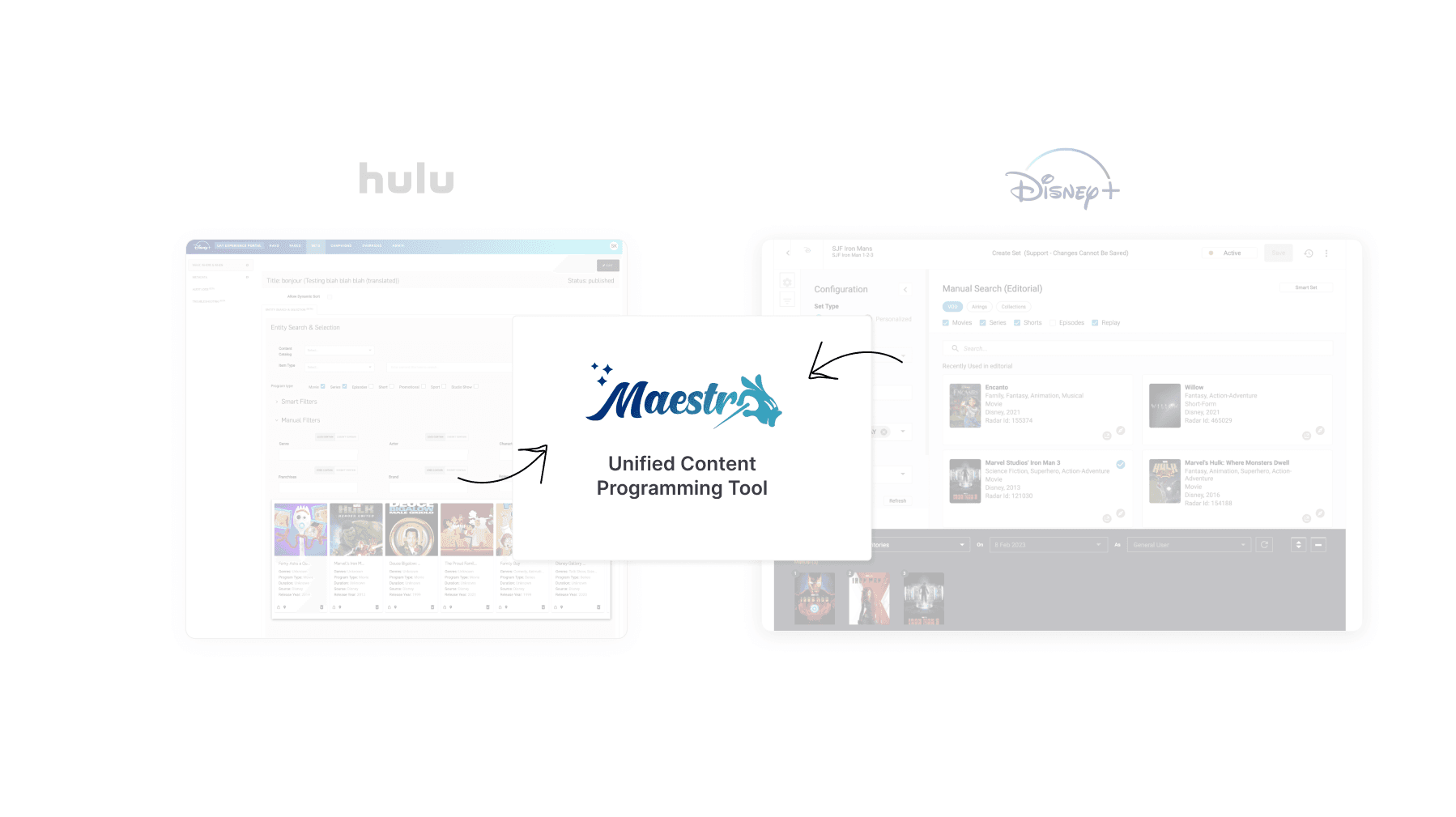
Context: What is Maestro?
Following the 2019 Hulu Acquisition, Disney+ ingested a catalog of 2.5k more titles. As a result, we created a unified content programming tool (Maestro), which I owned end-to-end.
Within the 'Maestro' ecosystem, I designed the 'Experimentation' feature: a robust A/B testing product used by the content Curators to gather performance data, informing future curation strategy.
Problem
Running consistent A/B tests is essential to Disney Streaming's business in order to deliver viewers the most optimal content selections. Users of Maestro (ie Curators) need a feature to run A/B tests based on programming strategies while also effortlessly integrated within Maestro.
Discovery
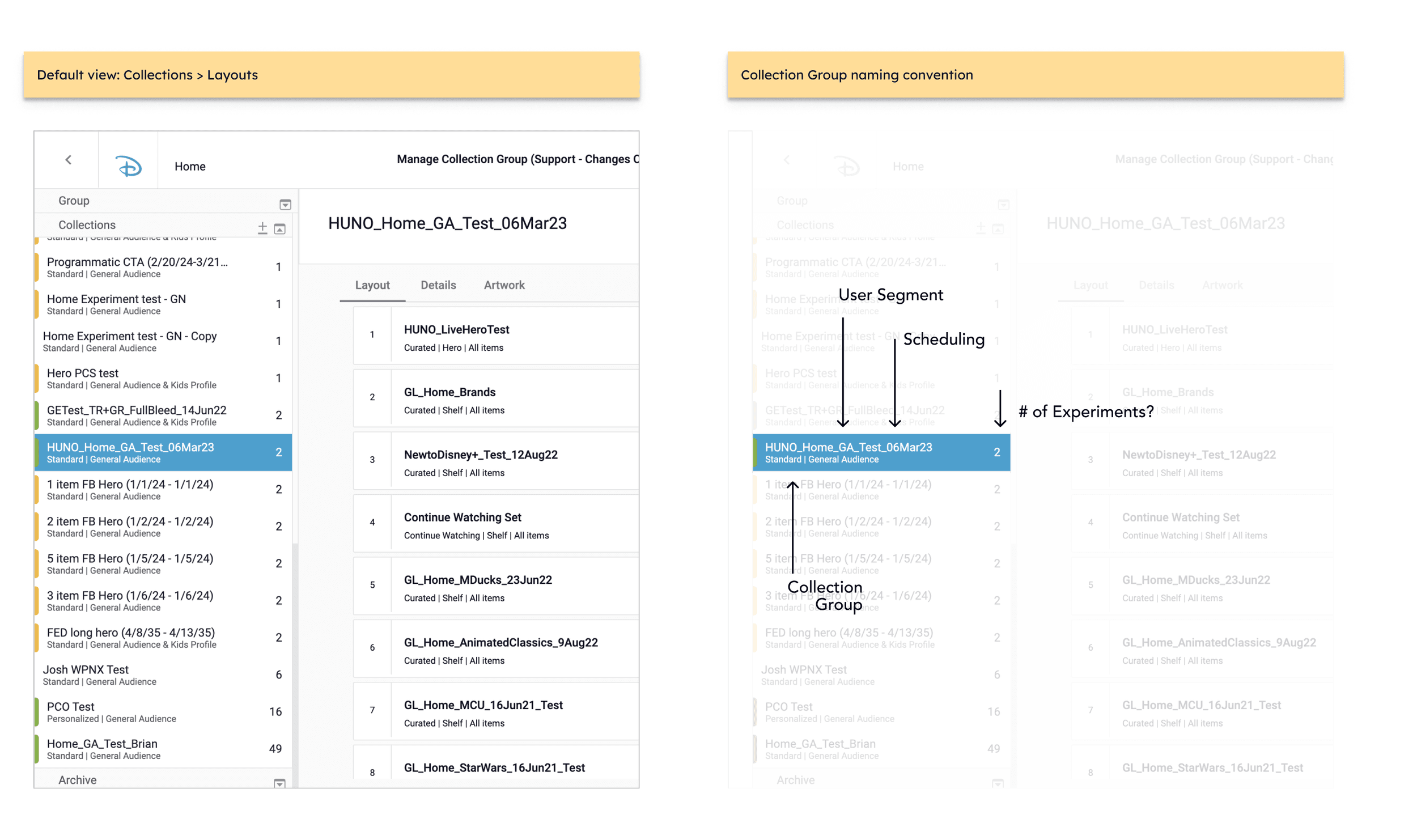
The Experiment solution (ie A/B testing tool) was informed by legacy feature in Disney's programming tool. I used these for reference when identifying key opportunities.
IA & User Journeys
Prior to wireframing, I mapped out solutions for integrating the Experiment feature within Maestro. This process required refinement when collaborating with my product partner and lead engineer, which informed the back-end structure. Once we dialed in the information architecture, I began mapping out the user journey.
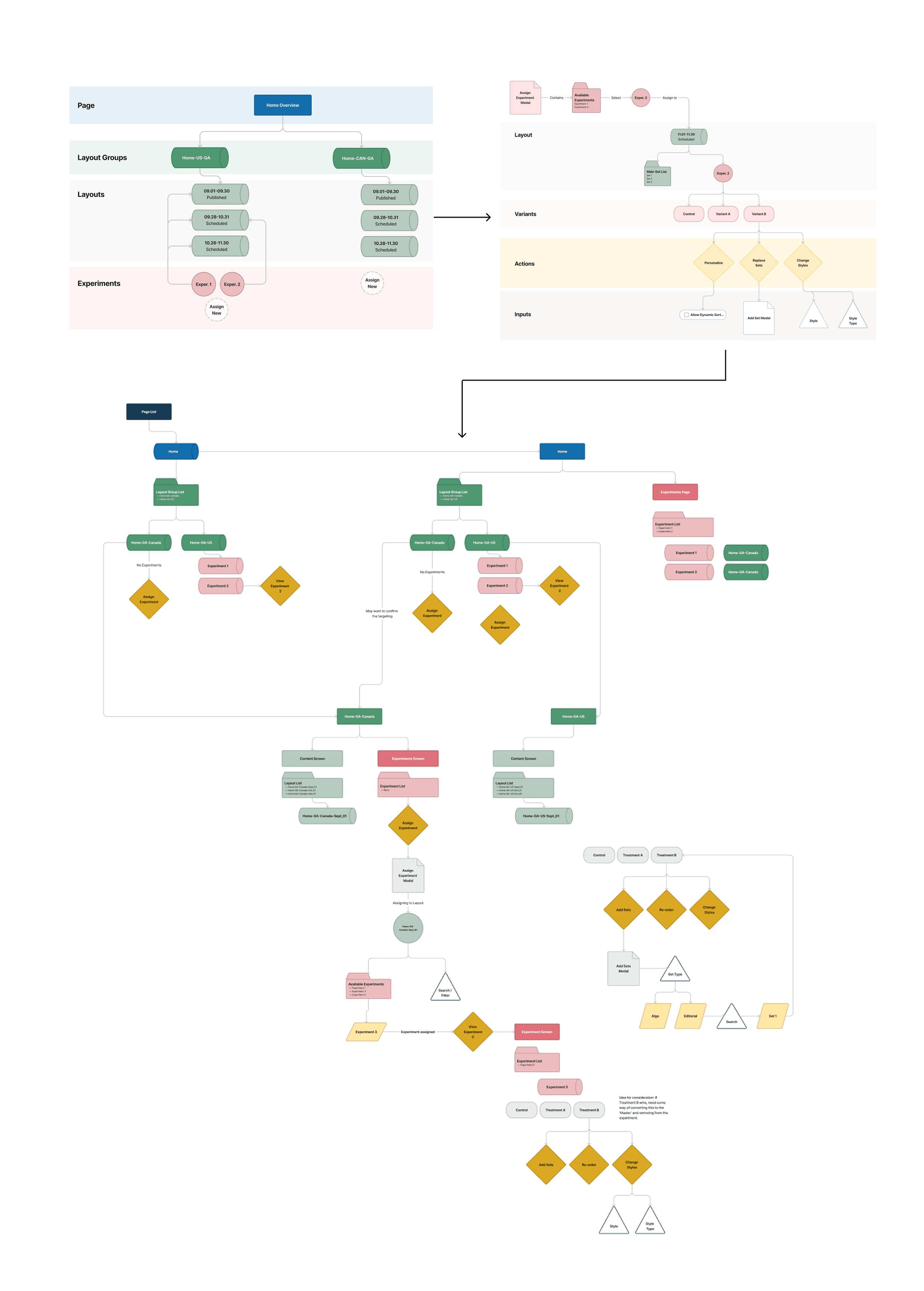
Initial Lo-fi concepts
Direction 01 — New Surface Area
Build a new page within Maestro as a separate workspace for Curators to navigate to and manage their Experiments.
Pros:
Not all users create or manage experiments, so adding a new surface offers a distinct workspace. Additionally, this approach is future-proof because it extends a pattern to be introduced later.
Cons:
Requires users to leave the Layout context where they need to see live content. Additionally, the extra data is not necessarily useful and slows performance.
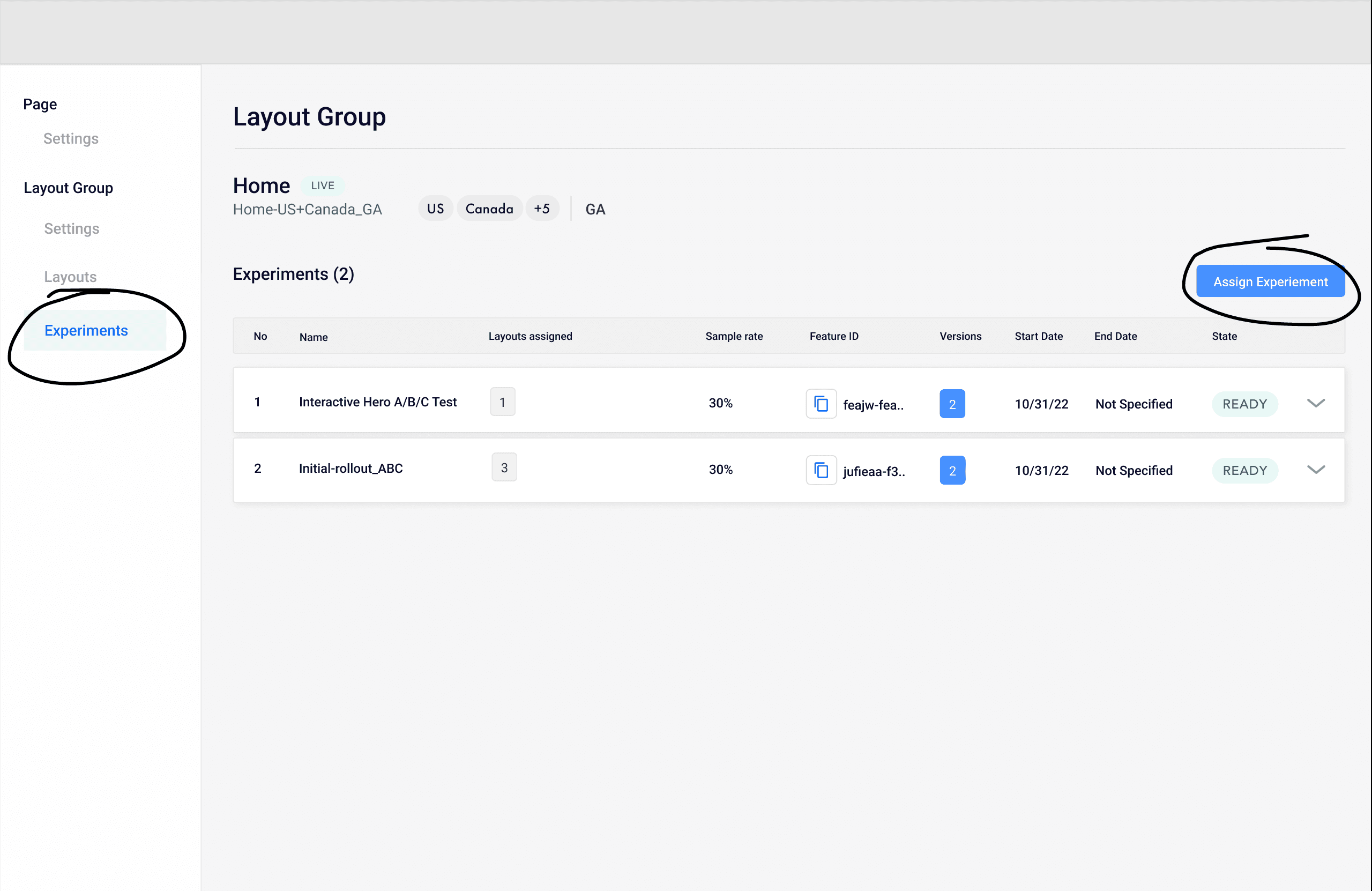
Direction 02 — Integrated
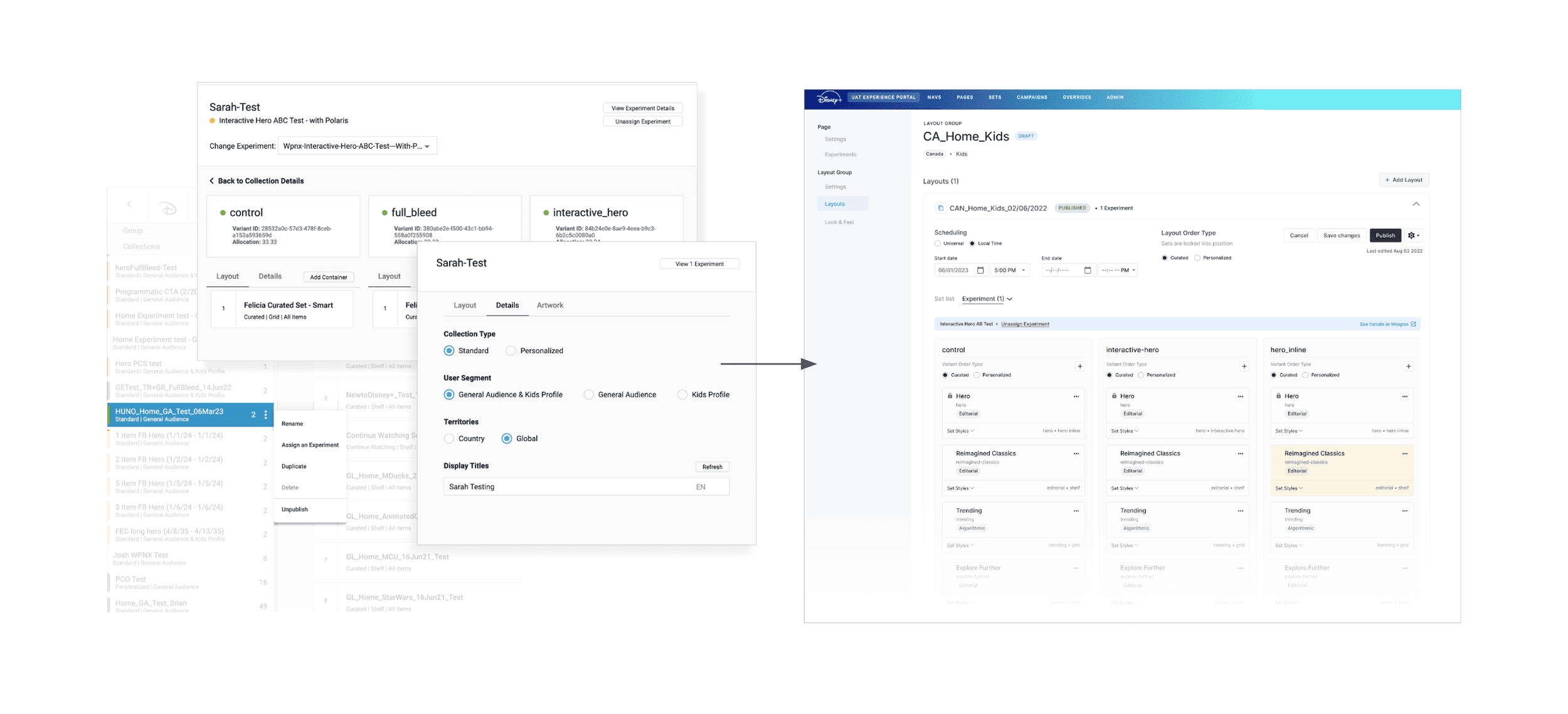
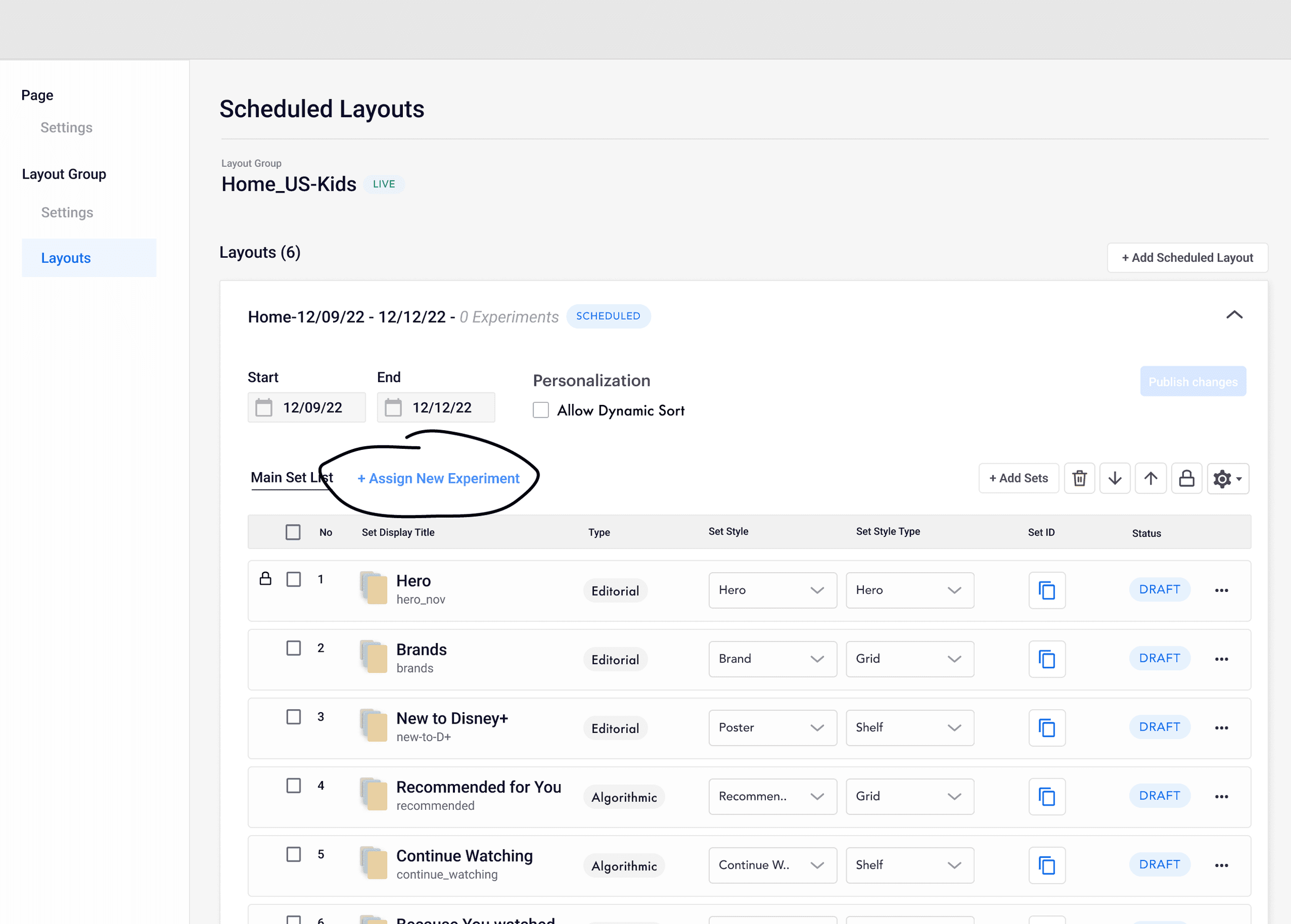
Integrating the experiment feature within the Layout feature without leaving the page.
Pros:
Offers easy access to visibility to live content for comparision. It also preserves contexts, less clicks, and ultimately creates a unified workspace.
Cons:
Storing lots of data within one workspace slows down performance and doesn't necessarily fit into the future roadmap.
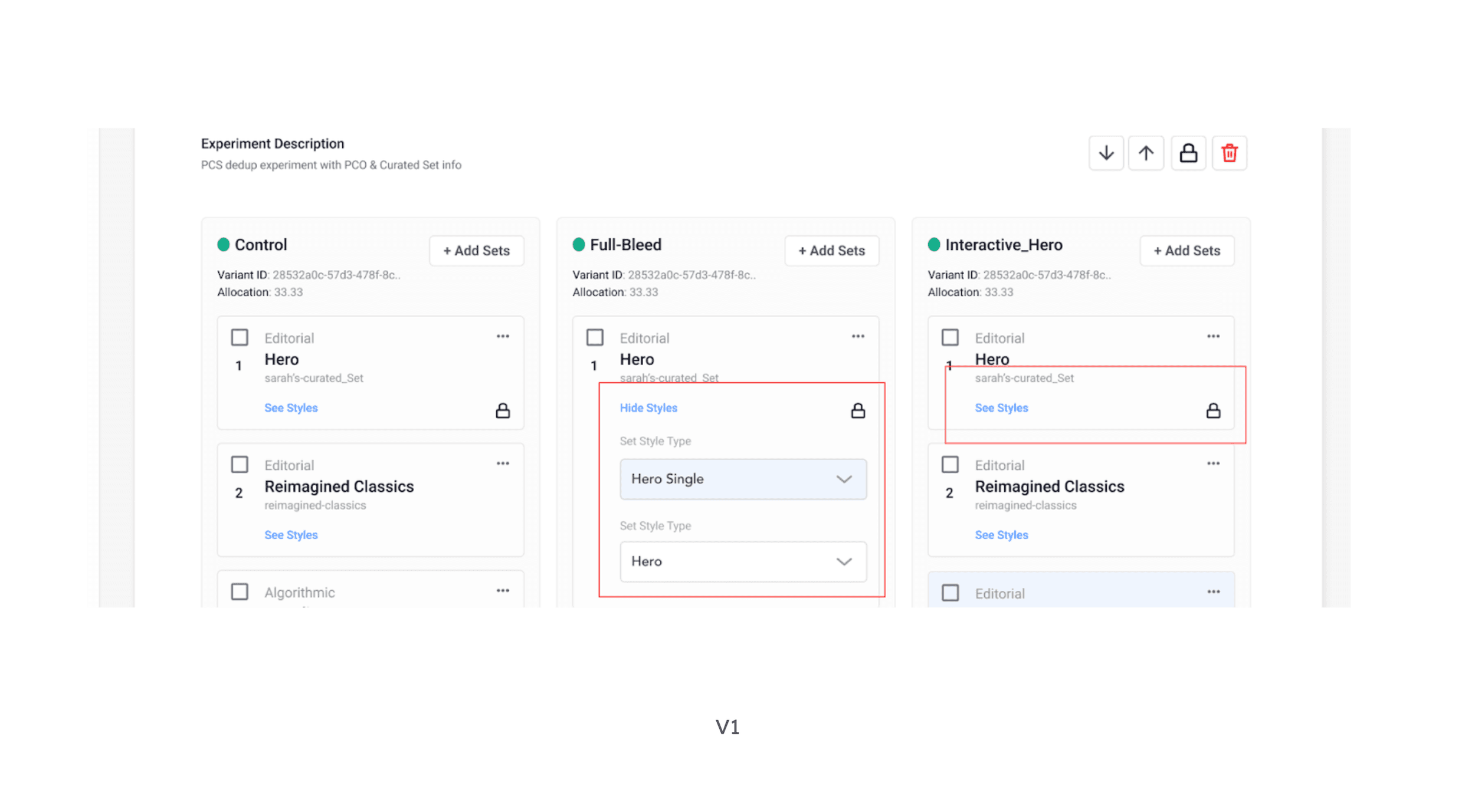
Style Selection Iterations
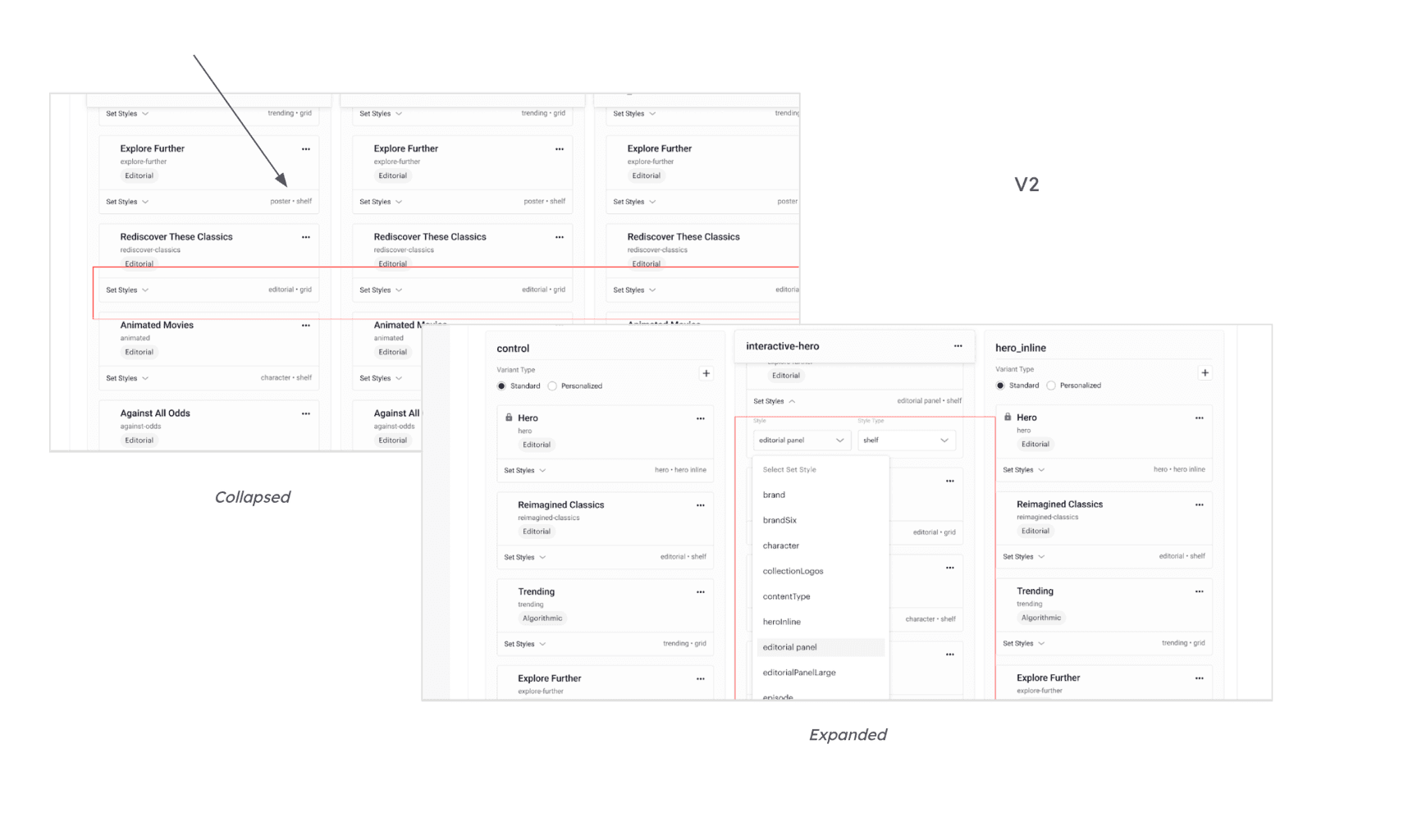
Selecting content styles (ie full bleed, hero, etc.) is a key feature of managing A/B tests. 'Experiment Cards' offer this functionality. I worked through a few iterations.
Ultimately, I decided to proceed with Version 02 given the benefits of visibility without needing to expand and preservation of vertical space.
One, Unified Workspace
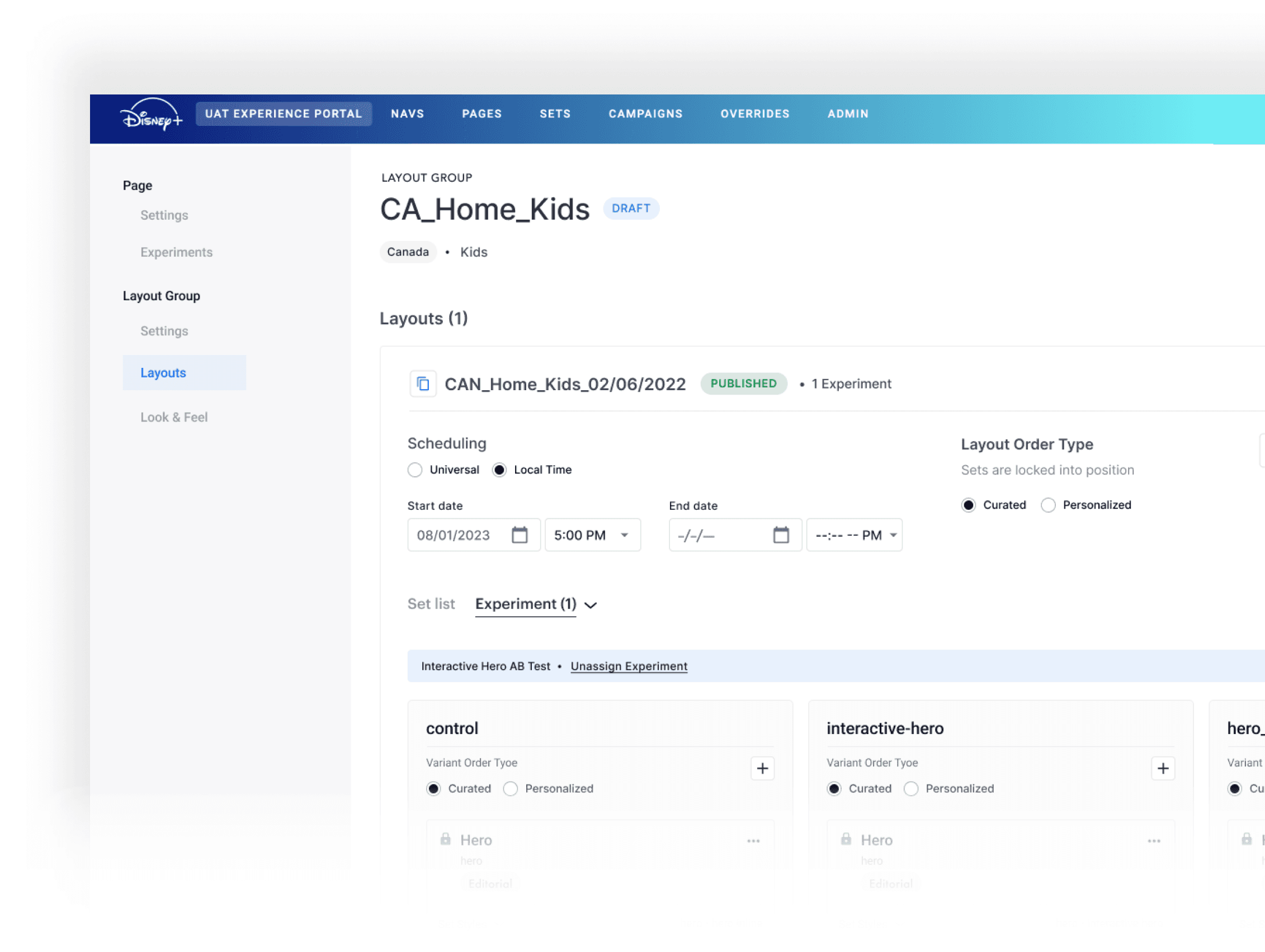
The final design integrates the experimentation feature seamlessly within the existing Maestro workspace, allowing curators to manage A/B tests without losing context of their live content.